
Settings
Email sending
Anything BeigeCRM sends on your behalf — campaigns, automation emails, form notifications — goes out through a sending provider you connect. Until one is configured, those features have nowhere to hand the message to.
This is separate from My Email, which is your personal mailbox for one-to-one correspondence. This page is about bulk and automated sending.
Configure it under Settings → Email Sending.
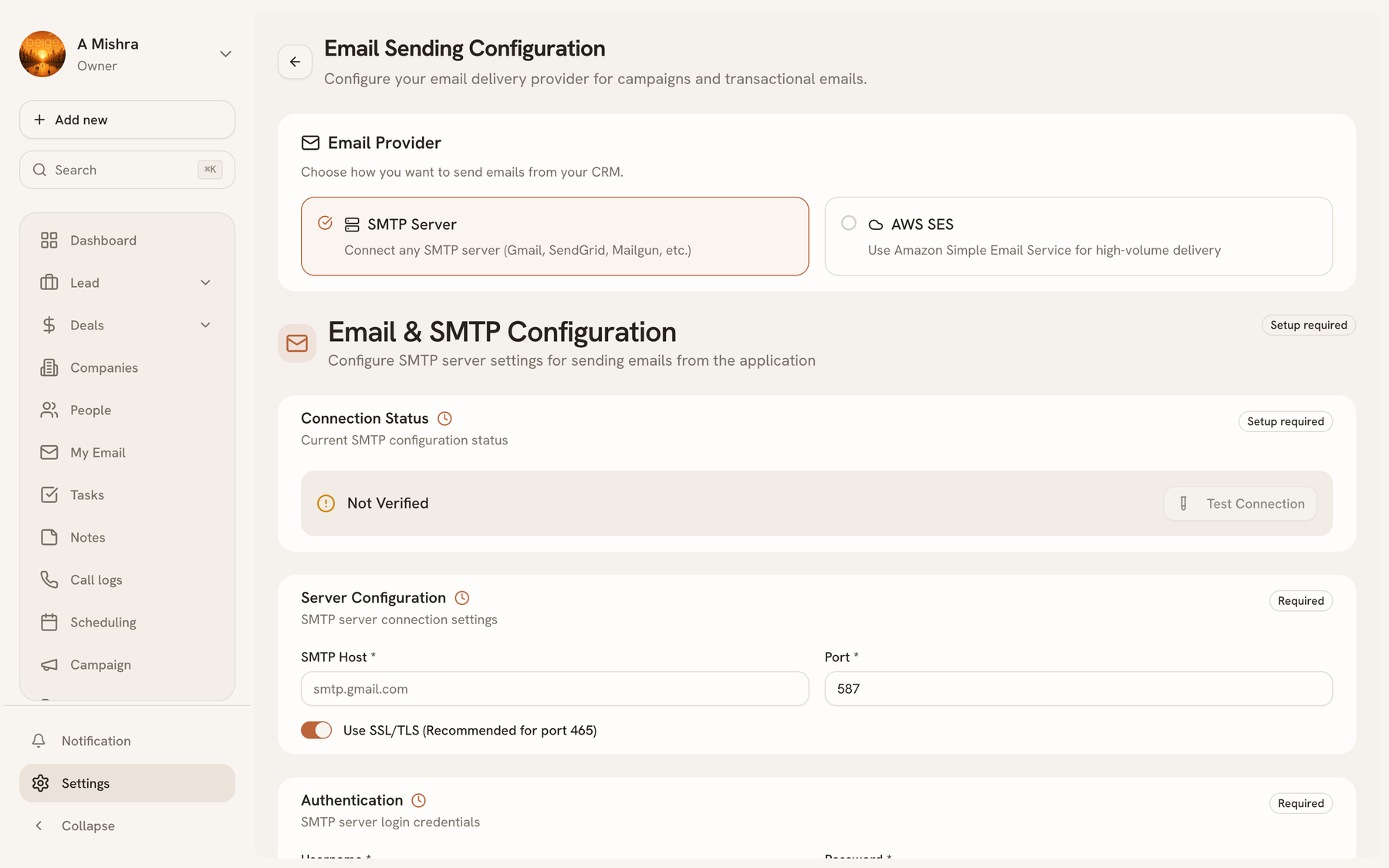
Two providers#
| SMTP | Amazon SES | |
|---|---|---|
| Best for | Any mailbox you already have | Volume sending |
| Setup | Host, port, credentials | AWS keys and region |
| Throughput | Whatever your provider allows | High, with your own limits |
Pick SMTP if you already have a mail provider and your volumes are modest. Pick SES if you're sending campaigns to thousands of people — it's built for that, and it gives you deliverability controls SMTP relays generally don't.
Campaigns can also name a preferred provider, so a newsletter can go via SES while transactional mail continues over SMTP.
Connecting SMTP#
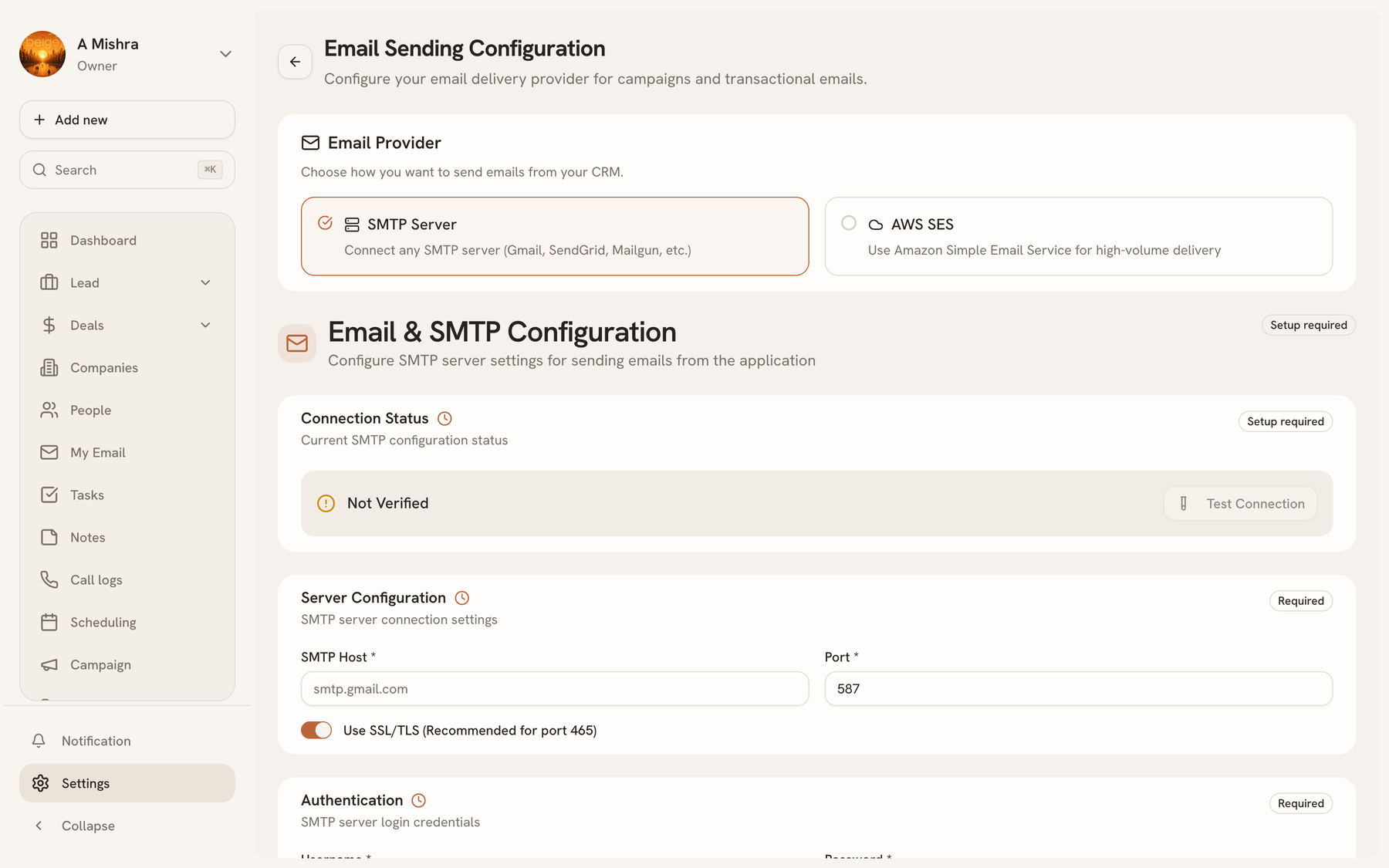
You'll need five things from your mail provider:
| Field | Notes |
|---|---|
| Host | e.g. smtp.yourprovider.com |
| Port | Usually 465 for SSL or 587 for STARTTLS |
| Secure | On for 465, off for 587 |
| Username / password | Your SMTP credentials — often not your mailbox password |
| From email / name | What recipients see in the From line |
The from address should be at a domain you control and have authenticated. Sending as a domain you don't own is the fastest route to a spam folder.
Connecting Amazon SES#
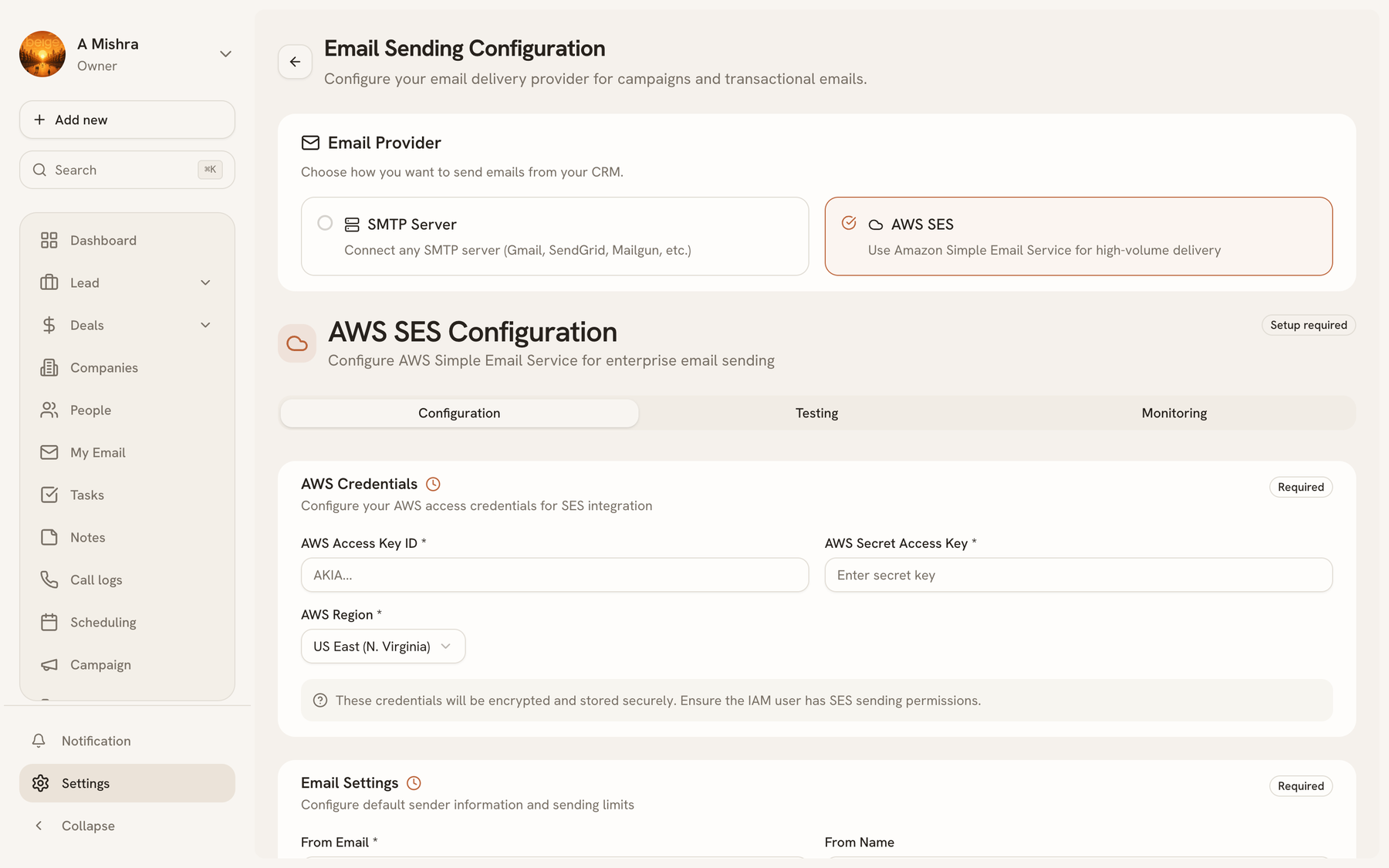
You'll need an AWS account with SES set up:
| Field | Notes |
|---|---|
| Region | The SES region you verified your identity in, e.g. us-east-1 |
| Access key ID / secret access key | An IAM user with SES sending permission |
| From email / name | Must be a verified identity in that region |
| Daily / hourly send limit | Optional caps, on top of whatever AWS allows you |
Three things worth knowing before you start, because each one surprises people:
- New SES accounts are sandboxed. You can only send to addresses you've verified until you request production access from AWS. A campaign that "sends" but reaches nobody is usually this.
- The region matters. An identity verified in
us-east-1does not exist ineu-west-1. The region here must match where you verified. - Give the IAM user only SES send permission. These keys are stored so BeigeCRM can send as you; there is no reason for them to carry anything else.
The optional send limits are your own guard rail — a way to bound the damage if a misconfigured automation starts looping.
Suppression#
Addresses that bounce or unsubscribe are added to a suppression list, and sending skips them from then on. That is a deliverability feature, not bookkeeping: continuing to mail addresses that bounce is what gets a sending domain reputation-blocked.
Find it under Settings → Email Suppression.
Testing before you send#
Every campaign has Send test, which delivers one copy to an address you choose. Use it after connecting a provider and after any change to it — a test send is the only way to know the credentials, the from address and the rendering all work together.
Last updated 2026-08-14